WhatsApp for real estate builders and developers
Project enquiries, lead follow-ups, site visits, and buyer communication — handled on the app your property buyers already use.
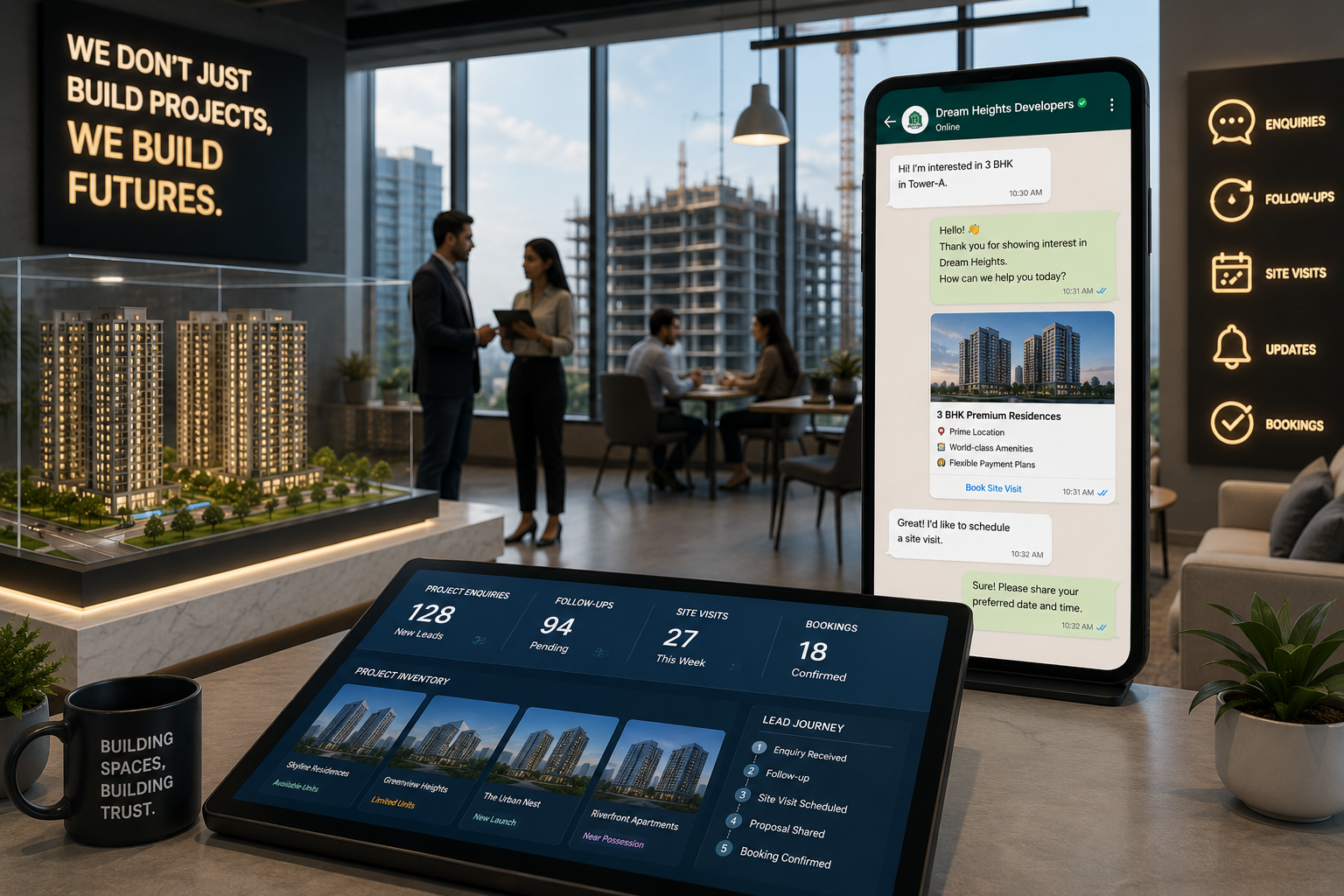
Property buyers often compare multiple projects before making a decision. Delayed responses, missed follow-ups, or scattered communication can make valuable project enquiries go cold before your sales team gets a chance to convert them. Karyagrah helps builders and developers manage project enquiries, automate lead follow-ups, coordinate site visits, and organize buyer conversations — from one shared inbox the whole sales team can see.
Project Enquiries
Manage questions about projects, configurations, pricing, availability, amenities, locations, and other buyer requirements.
Lead Follow-ups
Automatically follow up with interested property buyers so promising project enquiries don't get missed.
Site Visit Coordination
Manage site visit scheduling, confirmations, reminders, and related buyer communication.
Project Updates & Availability
Share relevant project information, inventory availability, construction updates, and other important information with interested buyers.
Shared Sales Team Inbox
Manage buyer conversations in one shared inbox so sales representatives can collaborate without losing context.
Buyer Records in CRM
Access buyer details, requirements, project interests, and previous conversation history before responding.
Frequently asked questions
Can Karyagrah help manage project enquiries?
Yes. Your sales team can manage enquiries about projects, configurations, pricing, availability, amenities, and buyer requirements from a shared workspace.
Can we automate follow-ups with interested buyers?
Yes. Karyagrah allows you to configure automated follow-up workflows so your team doesn't have to manually track every prospective buyer.
Can Karyagrah help manage site visit communication?
Yes. You can organize relevant site visit scheduling, confirmations, reminders, and follow-up conversations through configured communication workflows.
Can multiple sales representatives manage buyer conversations?
Yes. A shared team inbox allows multiple sales representatives to collaborate while maintaining conversation context and visibility.
Can we keep buyer requirements and conversation history together?
Yes. Buyer records and previous conversation context help your sales team understand requirements and project interests before responding.