Explainers
WhatsApp chatbots for business: what they are and how to build one (no code)
A WhatsApp chatbot answers customers instantly, around the clock, and hands off to a human when it matters. Here's how they work and how to build one without writing code.
By Sahil · Fullstack Developer
What a WhatsApp chatbot really does
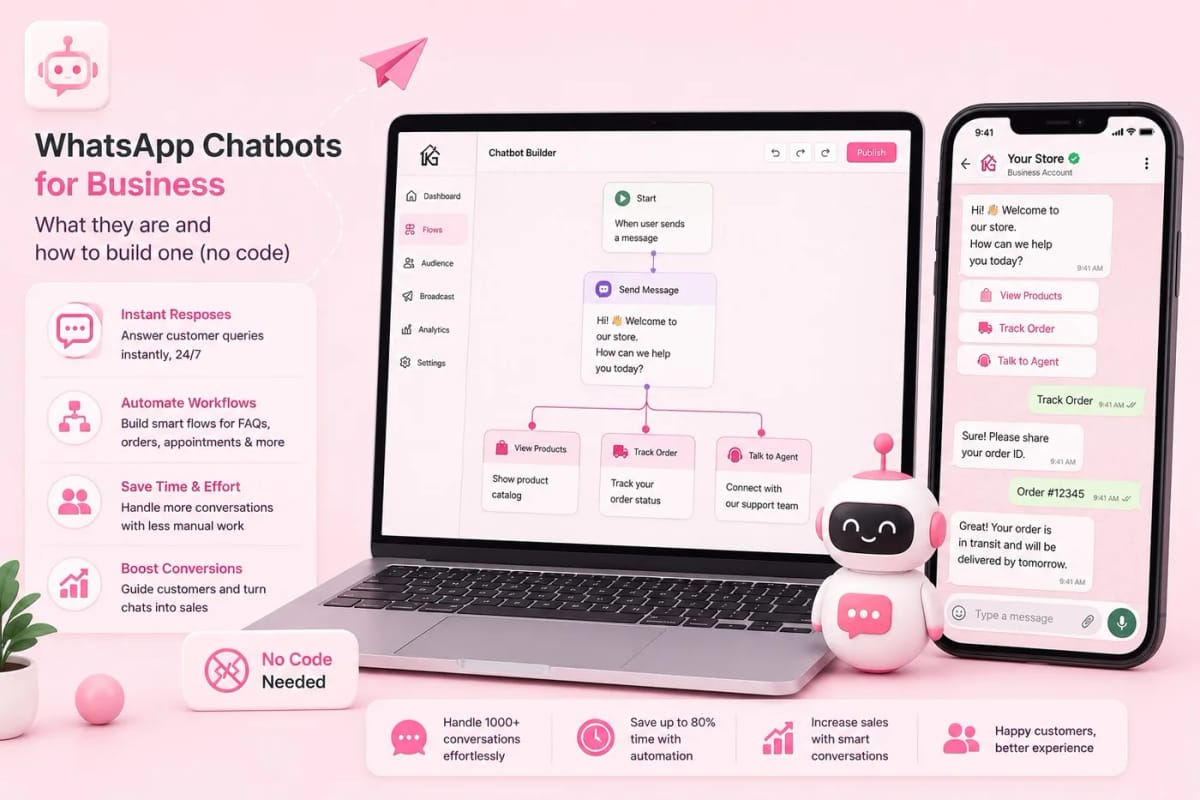
A WhatsApp chatbot is an automated assistant that replies to customers on your WhatsApp number instantly. It can answer common questions, capture a lead's details, share a catalogue, book an appointment, track an order, or route the chat to the right human agent.
The goal is not to replace your team — it is to handle the repetitive first questions instantly, at any hour, so your agents only step in when a real person is genuinely needed.
Where a chatbot saves the most time
The biggest wins are the questions you answer a hundred times a day: 'What are your prices?', 'Where are you located?', 'Is this in stock?', 'What are your timings?'. A bot handles these in a second, day or night.
It also captures leads while you sleep — greeting a new enquiry, asking for name and requirement, and dropping the lead straight into your pipeline so an agent can follow up in the morning.
Rule-based flows vs AI answers
There are two styles, and good setups blend them. Rule-based flows are menus and buttons — 'Reply 1 for sales, 2 for support' — which are predictable and perfect for structured tasks like booking or order tracking. AI-powered answers understand free-typed questions and reply from your knowledge base, which feels natural for open-ended FAQs.
Starting with a clean rule-based flow and layering AI on top for the messy questions gives you reliability without a robotic experience.
How to build one in Karyagrah without code
In Karyagrah you build a bot visually: drag nodes onto a canvas, connect them, and decide what each step does — send a message, ask a question, show buttons, save a lead, start a WhatsApp flow, or hand over to a human. No programming required.
You can also feed it a knowledge base (your FAQs, docs, product info) so the AI answers stay accurate and on-brand. Test it, then set the trigger — for example, greet every new conversation automatically.
The golden rule: always allow a human hand-off
The fastest way to frustrate a customer is a bot that traps them. Every good WhatsApp bot has a clear escape hatch — a 'talk to a human' option that instantly routes the chat to a live agent in your shared inbox.
When the bot hands off, the agent sees the full conversation history, so the customer never has to repeat themselves. Automation for speed, humans for the moments that matter.
Official sources and further reading
WhatsApp policies, product behaviour and pricing can change. Refer to these first-party resources for current rules.
- About the WhatsApp Business Platform — Meta for Developers
- WhatsApp Business Messaging Policy — WhatsApp
Frequently asked questions
Do I need coding skills to build a WhatsApp chatbot?
No. With Karyagrah's visual flow builder you drag and connect nodes to design the bot — messages, questions, buttons, lead capture, and human hand-off — without writing any code.
Can a WhatsApp chatbot capture leads automatically?
Yes. A bot can greet each new enquiry, collect the customer's name and requirement, and push the lead straight into your pipeline, so nothing is missed even outside working hours.
Will customers get stuck talking to a bot?
Not if it is built well. Every good bot includes a 'talk to a human' option that routes the chat to a live agent, who sees the full history so the customer never repeats themselves.
Can the chatbot answer free-typed questions, not just menus?
Yes. Alongside rule-based menus, you can connect an AI layer backed by your knowledge base, so the bot understands open-ended questions and replies accurately in natural language.