01
A team on one business number
Move customer handling from one phone to individual agent accounts with assignments, customer history and permissions. Managers gain visibility without asking staff to share a device.
Move beyond a single business phone with an official WhatsApp Business Platform workspace built for teams, automation and measurable customer operations.
Connect an eligible business number through Meta's supported onboarding flow and manage it from one workspace.
Give authorised agents individual access, assignments, customer history and clear operational ownership.
Use approved templates, webhooks, REST APIs, chatbots and workflows without building the operating layer from scratch.
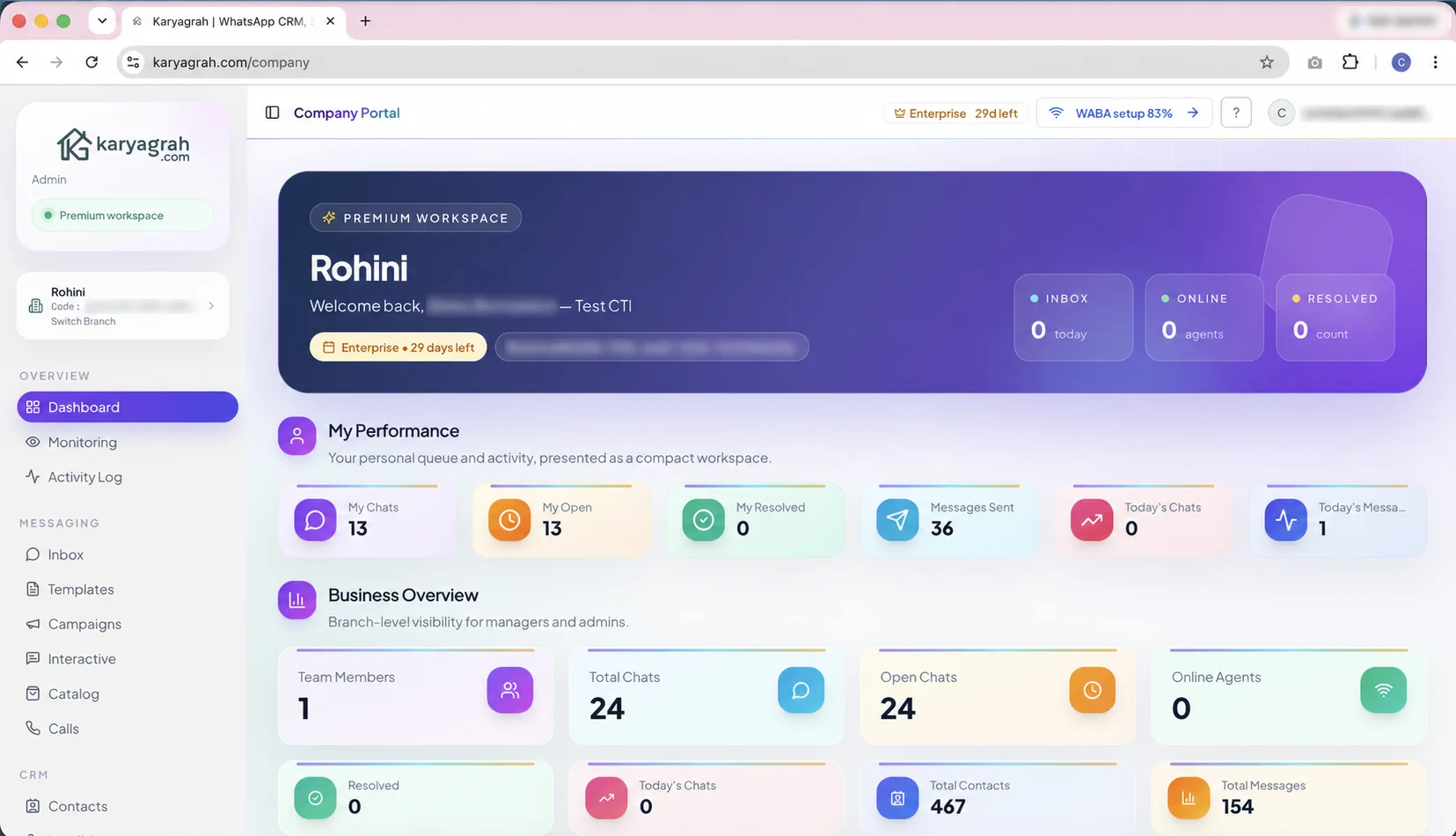
The WhatsApp Business Platform, often searched as the WhatsApp Business API or WhatsApp Cloud API, is Meta's infrastructure for businesses that need programmatic messaging, multiple agents, approved templates, automation and integrations at a scale the mobile app is not designed to handle.
The API does not provide a complete team inbox on its own. A platform such as Karyagrah supplies the interface, permissions, CRM context, campaigns, bot builder, analytics and operational controls that teams use every day.
The free WhatsApp Business app remains useful for a solo operator. The API becomes relevant when several people need one number, customer context is trapped on a device, broadcasts require approved templates, enquiries need automatic routing, or managers need reporting and accountability.
Start with one measurable workflow such as lead qualification, support triage, appointment reminders or order updates. A focused rollout makes consent, templates, team training and outcome measurement easier to manage.
Karyagrah brings shared inbox, contacts, CRM stages, bots, WhatsApp Flows, template management, campaigns, catalogues, webhooks and analytics into one branch-aware workspace. Individual logins and permissions keep business access controlled.
Meta messaging charges are separate from the Karyagrah subscription and depend on current message category and recipient-country pricing. Review Meta's current rate card when planning campaign cost rather than relying on an old fixed estimate.
Before connecting a number, confirm who owns the Meta business portfolio, which legal business details will be used, who can access the administrator account and whether the phone number is already registered in a WhatsApp app or another provider. Decide whether the number will migrate fully or use a supported coexistence path. Back up operational information, document current templates and integrations, and choose a low-risk cutover window so customers are not left without a response channel.
Business verification, display-name review, number registration and template review are separate steps and can have different outcomes. A verified business is not automatically entitled to a public verified badge, and an approved app does not make every template acceptable. Keep business documents consistent, use a recognizable display name and prepare realistic template samples. Give at least two trusted administrators controlled access so an employee departure does not lock the company out of critical messaging assets.
Store customer opt-in evidence and the purpose they agreed to, process opt-outs immediately and monitor number quality after every proactive campaign. Use approved templates outside the open customer service window and keep variables accurate. Separate marketing, utility and authentication use cases rather than forcing all messages into one template category. Quality falls when recipients do not expect the message, even if the technical API request succeeds.
Production integrations should handle webhook retries, duplicate events, temporary provider failures and status changes without sending the same customer action twice. Protect access tokens and webhooks, restrict agent permissions and keep an audit trail for sensitive changes. Track delivery, read, reply and failure outcomes alongside the business event—appointment attended, payment completed or issue resolved. Scale volume gradually, investigate quality drops early and keep a tested human fallback for workflows that depend on external systems.
Practical workflows
Start with a workflow tied to a clear customer or operational outcome, then expand after the team can measure it.
Move customer handling from one phone to individual agent accounts with assignments, customer history and permissions. Managers gain visibility without asking staff to share a device.
Use approved templates for reminders, order updates, account alerts and consent-based marketing outside the customer-service window. Track delivery and handle responses in the same workspace.
Trigger workflows from forms, orders, CRM events or webhooks. Bots and AI can handle structured first steps while APIs connect customer messaging to the systems that run the business.
Keep branch numbers, teams, permissions and reporting organised under one business operation. Standard templates and controls help maintain quality while local teams keep clear ownership.
WhatsApp Business API pricing has two layers. Karyagrah charges for the operating software—such as inbox, CRM, campaigns, automation and limits—while Meta charges for eligible WhatsApp Business Platform messages under its current rules.
For India, review plan price, GST, included team or number capacity and any optional add-ons. Also include one-time work such as data cleanup, template preparation, workflow design and team training when comparing implementation budgets.
Meta rates and policies can change, so do not build a business case around an old per-conversation screenshot. Use the current Meta rate card and Karyagrah pricing page, then estimate volume by message purpose and recipient country.
Choose the right setup for your team size and workflows.
Read guideKnow when you can reply freely and when an approved template is required.
Read guideSee what a customer must allow before your business can call them.
Read guideWhatsApp Cloud API is Meta's cloud-hosted implementation of the WhatsApp Business Platform. People commonly use WhatsApp Business API as the broader search term.
Not for normal Karyagrah operations. The guided interface covers onboarding, inbox, templates, campaigns and no-code automation; APIs remain available for custom integrations.
Yes. Authorised team members can use individual Karyagrah accounts to handle conversations from the connected business number.
Meta messaging charges are separate and can change by category and recipient country. Check the current Meta rate card alongside the Karyagrah plan.
Eligibility depends on the number's current setup. Standard migration or supported coexistence may be available; check the number and account before planning a cutover.
Business-initiated template messages are reviewed under Meta's current process. Clear category, realistic variables and useful content reduce avoidable submission problems.
No. Business verification supports account and platform access, while a public verified badge has separate eligibility and review requirements.