Guides
WhatsApp message templates: approval rules and why they get rejected
Every proactive WhatsApp message needs an approved template. Here's how template approval works, the categories that decide your cost, and the common reasons templates get rejected.
By Aayush · Developer
Why templates exist at all
WhatsApp only lets you message a customer first (before they reply) using a pre-approved template. This is what keeps WhatsApp free of spam and is the reason people actually open business messages there.
Once a customer replies, you get a 24-hour window to chat freely with normal messages. Templates are only needed to start or re-open a conversation.
The three template categories
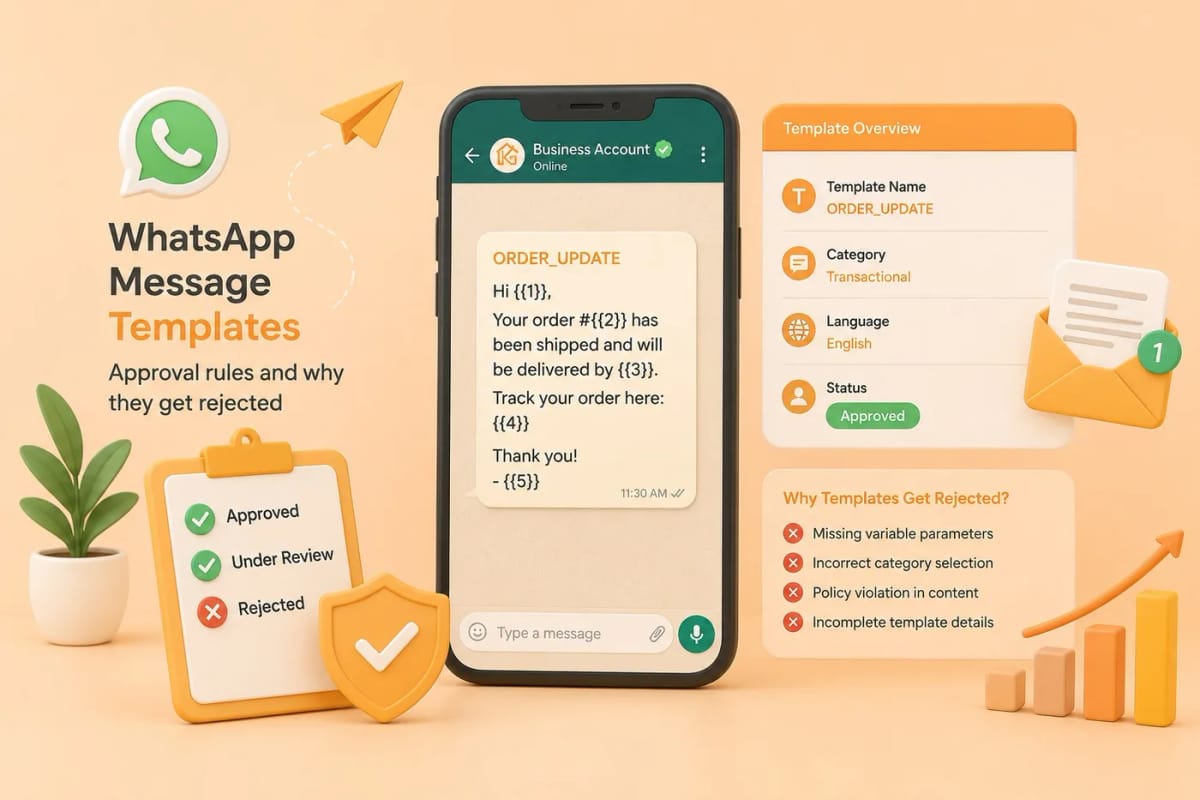
Every template belongs to one of three categories, and the category affects both the rules and the per-message price. Marketing templates cover promotions, offers, and announcements. Utility templates cover transactional updates tied to an action the customer took, such as order confirmations, shipping updates, and appointment reminders. Authentication templates are strictly for one-time passwords and login codes.
Picking the right category matters: a promotional message submitted as utility can be re-categorised or rejected.
How the approval flow works
You write the template — a header (optional text, image, or document), a body with variables like the customer's name, and optional buttons — then submit it for review. Meta usually responds within minutes, sometimes a few hours.
In Karyagrah you see the live status: pending, approved, or rejected with the reason. Approved templates are immediately usable in broadcasts and drips; rejected ones can be fixed and resubmitted right away.
The most common reasons templates get rejected
Rejections almost always come down to a handful of issues. Variable mistakes: leaving a variable at the start or end, putting two variables next to each other, or having more example values than variables. Category mismatch: labelling a clearly promotional message as utility. Missing example content: not providing sample values for your variables so Meta can review the real message. Broken or placeholder content: 'lorem ipsum', obvious typos, or a URL that does not resolve.
Content that violates WhatsApp's commerce policy — like certain regulated products — is also declined outright.
Tips for first-time approval
Keep the message clear and genuinely useful to the recipient. Fill in realistic example values for every variable. Match the category to the true intent. Avoid all-caps shouting, excessive emojis, and anything that reads as clickbait.
Start with utility templates where you can — they sail through review and cost less — and reserve marketing templates for genuine promotions.
Official sources and further reading
WhatsApp policies, product behaviour and pricing can change. Refer to these first-party resources for current rules.
- About the WhatsApp Business Platform — Meta for Developers
- WhatsApp Business Platform pricing — Meta for Developers
- WhatsApp Business Messaging Policy — WhatsApp
Frequently asked questions
How long does WhatsApp template approval take?
Usually a few minutes to a couple of hours. Meta reviews templates automatically and occasionally manually, so most are approved quickly, though busy periods can add delay.
Why was my WhatsApp template rejected?
The most common reasons are variable formatting errors, choosing the wrong category, missing example values, placeholder or clickbait content, or a policy violation. Karyagrah shows the specific rejection reason so you can fix and resubmit.
Can I edit a template after it is approved?
You can edit templates, but a meaningful change sends it back for re-approval. It is often simpler to create a new template version than to heavily edit an approved one.
What is the difference between marketing and utility templates?
Utility templates are transactional and tied to a customer's action, such as an order or appointment. Marketing templates cover promotions and offers. Meta prices delivered template messages by category and country.