WhatsApp for event planners and event management teams
Event enquiries, booking follow-ups, guest communication, and event updates — handled on the app your clients and attendees already use.
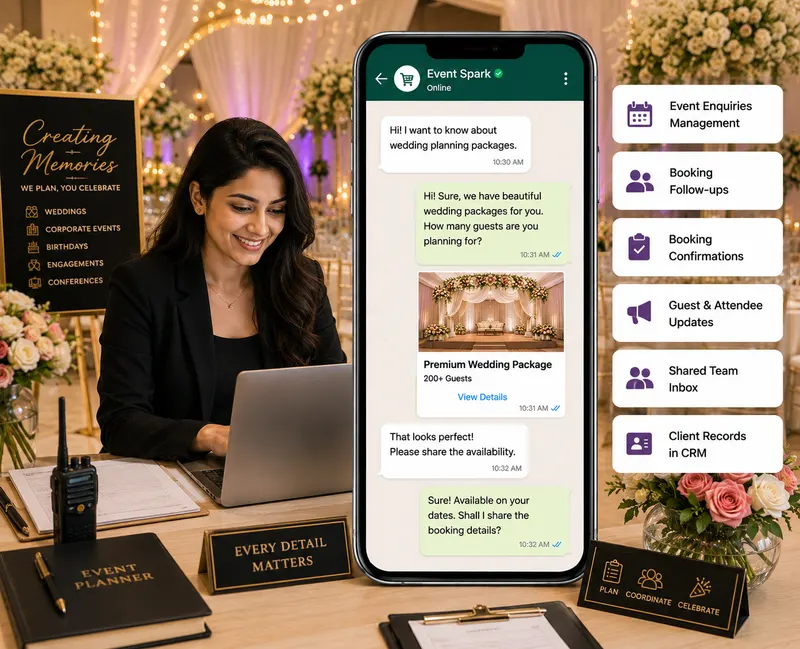
Event enquiries can move quickly, and delayed responses or missed follow-ups can mean lost bookings. At the same time, managing confirmations, guest questions, and event updates manually can put unnecessary pressure on your team. Karyagrah helps event management teams organize enquiries, automate booking follow-ups, manage guest communication, and coordinate important event updates — from one shared inbox the whole team can see.
Event Enquiries
Manage questions about event packages, availability, venues, services, pricing, and other event requirements.
Booking Follow-ups
Automatically follow up with prospective clients and keep important booking opportunities from being missed.
Booking Confirmations
Keep booking-related communication and confirmations organized throughout the event planning process.
Guest & Attendee Updates
Share relevant event information, reminders, schedules, and updates with guests and attendees.
Shared Event Team Inbox
Keep client and attendee conversations in one shared inbox so your team can collaborate without losing context.
Client Records in CRM
Access client details and previous conversations before responding, giving your team better context for every interaction.
Frequently asked questions
Can Karyagrah help manage event enquiries?
Yes. Your team can organize enquiries about event services, packages, availability, pricing, and other requirements from a shared workspace.
Can we automate booking follow-ups?
Yes. Karyagrah allows you to configure automated follow-up workflows so prospective clients don't have to be tracked manually at every stage.
Can we use Karyagrah for event updates and reminders?
Yes. Karyagrah can support configured communication workflows for relevant event reminders, schedules, confirmations, and updates.
Can multiple event team members manage conversations?
Yes. A shared team inbox allows multiple team members to collaborate while maintaining visibility and conversation context.
Can we keep client information and conversation history together?
Yes. Customer records and previous conversation context can help your team understand each client's requirements before responding.