Explainers
Shared WhatsApp team inbox: how it works and when your business needs one
Learn how a shared WhatsApp inbox lets sales and support teams use one business number without duplicate replies, lost context, or customer conversations trapped on personal phones.
By Muskan · UI/UX Developer
Why one phone stops working as the team grows
A single WhatsApp Business phone is easy when one owner answers every message. It becomes a bottleneck when sales, support, operations, and managers all need access. People forward screenshots, ask who replied, lose context during shift changes, and sometimes answer the same customer twice.
A shared team inbox moves the number into a business workspace. Agents sign in with their own accounts, while customers continue messaging the same public number. The company keeps ownership of the conversation history and can control who sees or handles each chat.
What agents and managers see
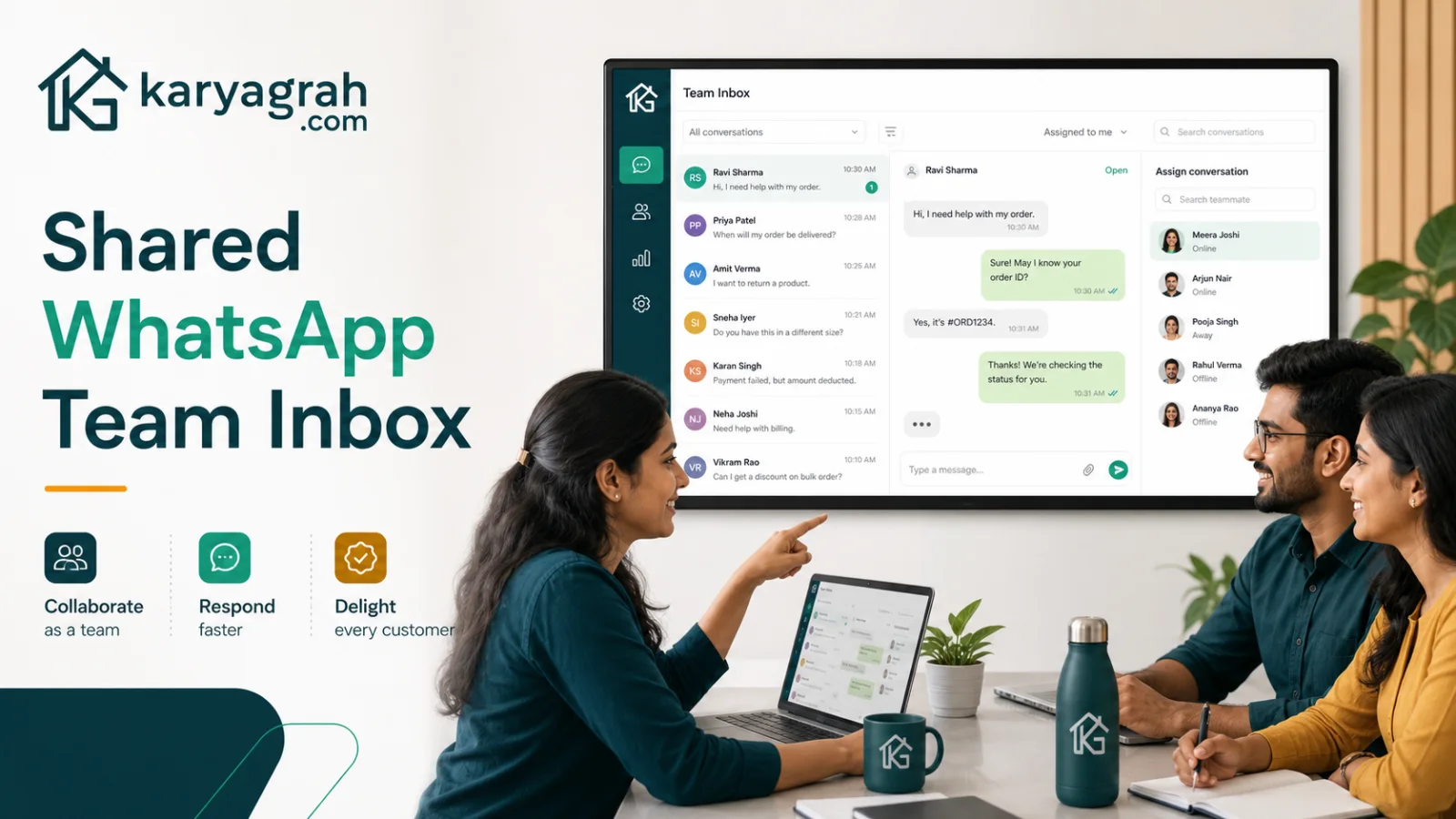
Agents typically see a queue of conversations with customer details, message history, assignment, status, tags, and internal notes. They can reply with approved templates, media, quick replies, or interactive messages without sharing a phone or password. Internal notes let teammates coordinate without sending those comments to the customer.
Managers get the operational view: unassigned chats, open workload, response times, overdue conversations, and agent activity. This makes coaching and staffing decisions possible without reading every conversation manually.
Assignment, routing, and handoff
Clear ownership is the heart of a team inbox. A new conversation can enter an unassigned queue, route to a branch or department, or be assigned automatically using a chatbot or workflow. The assigned agent becomes responsible for the next action, while authorised teammates can still help when needed.
Handoffs should preserve the full context. When sales transfers a customer to support, the next agent should see the original enquiry, contact details, notes, and previous actions. The customer should not have to repeat the story simply because the internal owner changed.
Automation without losing the human touch
A shared inbox works best when automation handles predictable steps and humans handle judgement. A welcome flow can ask the customer's requirement, collect an order number, or route by language. Quick replies can standardise common answers. Reminders can surface a chat when a follow-up is due.
Every automated journey should offer a clear human handoff. The agent needs to see what the bot asked and what the customer selected. That combination gives customers immediate acknowledgement without trapping them inside a rigid menu.
Security and accountability checklist
Do not solve team access by sharing one password. Give each person an individual account, use role-based permissions, remove access promptly when someone leaves, and review active sessions. Sensitive actions should appear in an audit trail. Conversation data should be encrypted in transit and protected at rest.
Branch-level access matters when teams operate separate locations or numbers. An agent should see only the customers required for their job, while managers get the visibility appropriate to their role. This is safer and easier to audit than running the business from personal devices.
Signs it is time to switch
You likely need a shared inbox if customers wait because the phone is with someone else, two people reply at once, managers cannot see pending work, conversations disappear when an employee leaves, or follow-ups live in spreadsheets and memory. Another strong signal is when marketing campaigns create more replies than one person can organise.
Start with one number and one team. Define assignment and closure rules, train agents on notes and status, and review unresolved chats daily. Karyagrah provides the shared inbox, roles, routing, CRM context, automation, and reporting needed to make that process repeatable.
Official sources and further reading
WhatsApp policies, product behaviour and pricing can change. Refer to these first-party resources for current rules.
- About the WhatsApp Business Platform — Meta for Developers
- WhatsApp Business Messaging Policy — WhatsApp
Frequently asked questions
Can several people use the same WhatsApp business number?
Yes. With an official shared team inbox, authorised agents use individual logins to handle conversations from one business number while the company retains control and history.
Will customers know which agent is replying?
Customers continue chatting with the business number. Your team can introduce agents by name where appropriate, while internal assignment and notes stay private inside the workspace.
How does a shared inbox prevent duplicate replies?
It shows conversation ownership, status, and agent activity in one place. Teams can assign each chat and see when another agent is handling or typing a response.
Can a chatbot transfer a conversation to a person?
Yes. A well-designed flow can collect initial details, choose the right queue, and hand the complete conversation to a human agent with its context preserved.